
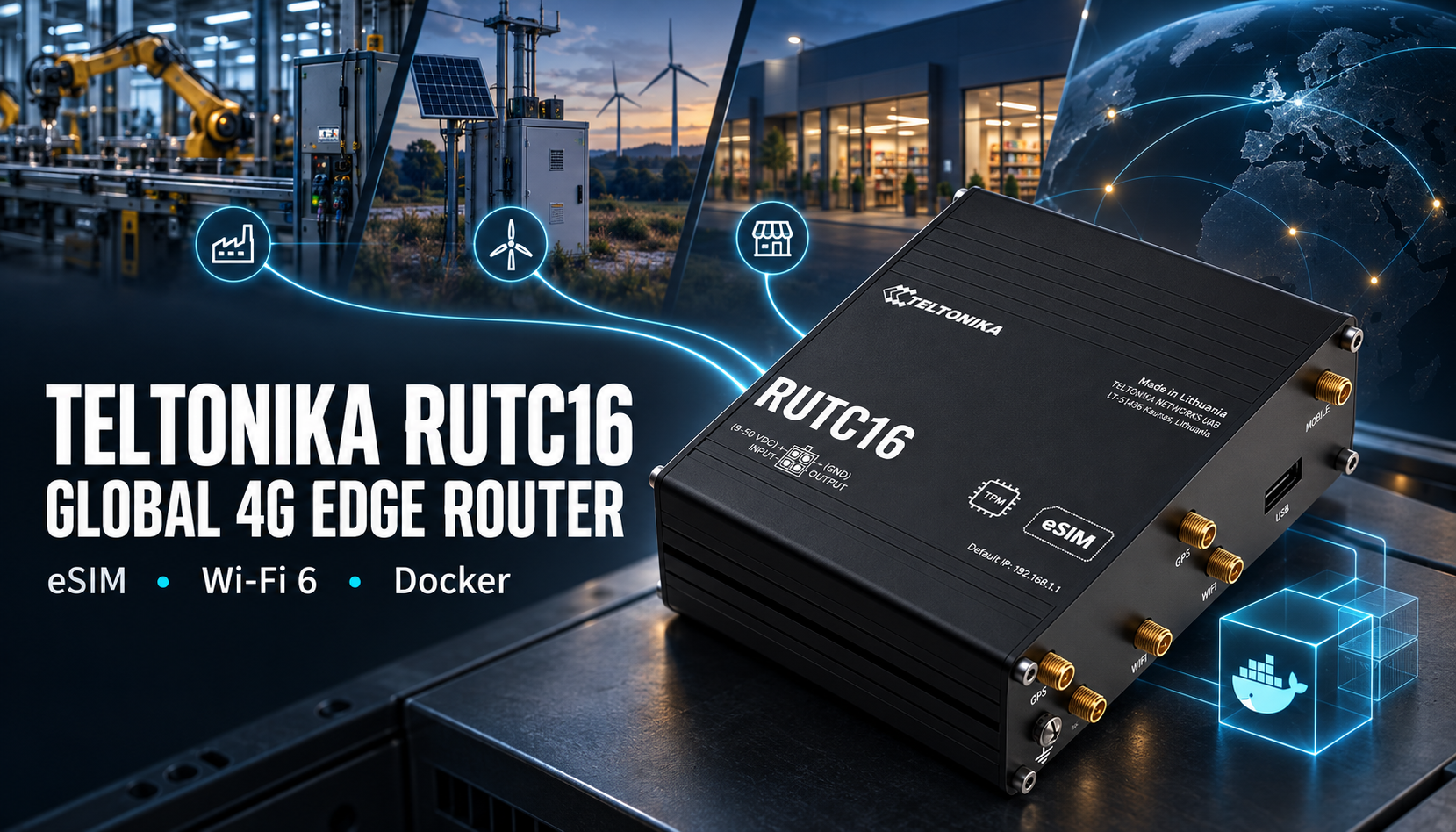
For years the cellular router in an industrial cabinet did one job. It took data from a device and pushed it up a mobile network. The router was a pipe, and a pipe was enough. That assumption is breaking. Sensor counts are rising, mobile data still costs money, and more decisions need to happen where the data is made rather than in a distant cloud. The answer from the hardware is a new class of device: the edge computing router. The Teltonika RUTC16 is a useful worked example, so this piece uses it to explain what has actually changed, and why Cat 6, GNSS and Docker now sit inside a box that used to be a modem with a firewall.
- 4G LTE Cat 6, up to 300 Mbps down and 50 Mbps up, with carrier aggregation
- Dual-core 1.3 GHz Arm Cortex-A53, 1 GB RAM, 8 GB eMMC, Docker on RutOS
- Multi-constellation GNSS: GPS, GLONASS, BeiDou, Galileo, QZSS
- Wi-Fi 6 dual band, five Gigabit Ethernet ports, 2 x Mini SIM plus eSIM
- 9-50 V DC, -40 to +75 degrees C, IP30 anodised aluminium
From pipe to platform: why compute moved into the router
Compute is moving into the router for reasons that stack on top of each other.
First, volume. A site that once reported a handful of values a minute might now run dozens of sensors, a camera or two, and a local control loop. Sending all of that raw to a cloud is wasteful when most of it is quiet noise between the events that matter.
Second, latency and autonomy. If a decision has to wait for a round trip to a data centre, it is not a real-time decision. A router that can run logic locally keeps a site working when the link drops, and acts on an event in milliseconds rather than seconds.
Third, cost and data sovereignty. Cellular data is metered. Filtering and aggregating at the edge cuts the bill. Keeping raw data on site, and sending only summaries, also keeps you on the right side of rules about where information is allowed to live.
Then there is protocol translation and early machine learning. Field kit speaks Modbus, DNP3, BACnet and a dozen other dialects. Something has to turn that into clean MQTT or a tidy API call before it leaves site. Increasingly that same something runs a small inference model, flagging an anomaly locally instead of streaming everything upstream for a cloud to judge.
Put those together and the cellular router stops being a pipe. It becomes a small edge server that happens to have a modem.
This is not one vendor’s idea. Teltonika’s RUTC series sits alongside comparable moves from InHand, Advantech and Moxa. The category is shifting, not a single product. We made the wider argument in The Case for Industrial Edge Computing, and this article is the hardware-level companion to it.
Docker on a router, and why it matters
What a container actually is
A container is a packaged application with everything it needs to run, sealed off from whatever else is on the machine. It is not a full virtual machine. It shares the host Linux kernel, which makes it light. You can start it, stop it, update it or throw it away without touching the router’s own operating system.
The value on a router is isolation and independence. A container running a protocol gateway cannot corrupt the router firmware. You can update the gateway on its own schedule, roll it back if it misbehaves, and move the same container to another site knowing it will behave the same way.
What you would actually run
The common jobs are unglamorous and useful. A protocol gateway that turns Modbus TCP or OPC UA into MQTT. A normalisation script that reshapes messy device output into a consistent schema before it hits your platform. A vendor’s own agent, kept in its own box rather than bolted into the firmware. Or a lightweight machine learning model doing first-pass anomaly detection so only the interesting events travel upstream.
None of this is exotic. It is the kind of glue code that used to need a separate industrial PC or gateway sitting next to the router. Folding it into the router removes a box, a power supply and a point of failure.
Because RutOS runs Docker, a container is defined and launched with the same commands an engineer already knows. A minimal example looks like this:
docker run -d --restart unless-stopped \
  --name modbus-gateway \
  -p 1883:1883 \
  my-registry/modbus-mqtt:latest
The point is not the exact image. It is that the skill and the tooling are standard, not proprietary.
The hardware that makes it practical
Containers need headroom, and this is where the class line sits. The RUTC16 carries a Mediatek dual-core 1.3 GHz Arm Cortex-A53, 1 GB of DDR4 RAM and 8 GB of eMMC storage, with 16 MB of NOR flash for the base system. That is enough to hold the router OS and run a container or two beside it.
Entry-level routers cannot do this at all. With a fraction of the RAM and only enough flash for firmware and config, there is nowhere for a container to live. This is the practical dividing line between a connectivity router and an edge computing router. It is memory and storage, not marketing.
Cat 6 vs Cat 4: what the step up actually buys
Carrier aggregation in plain English
LTE categories describe how fast a modem can theoretically go, and how it gets there. Category 4 uses a single 20 MHz carrier and tops out at around 150 Mbps down and 50 Mbps up. Category 6 adds carrier aggregation. It bonds two carriers together, up to roughly 40 MHz of combined spectrum, and adds 256-QAM on the downlink, which packs more bits into each transmission. The headline result is up to 300 Mbps down. The RUTC16 is a Cat 6 device and quotes exactly that: up to 300 Mbps down, 50 Mbps up.
Think of carrier aggregation as opening a second lane on a road. Two lanes carry more traffic than one, and they smooth things out when the road is busy.
Where the benefit actually lands
The real gains are three.
- Peak downlink, when you genuinely need it. Backhauling several CCTV streams, pulling a large firmware image to a fleet, or moving bursty batches of telemetry all benefit from the higher ceiling.
- Aggregate capacity in busy cells. In a congested or multi-band cell, aggregation lets the modem draw from more than one slice of spectrum. Performance holds up better under load, which matters more than a lab peak figure most installers will never see.
- Headroom. Even if today’s job is modest, a Cat 6 link leaves room for the site to grow without a hardware swap.
The honest part
Upload does not change. Both categories cap at 50 Mbps up, and the RUTC16 is no exception. If your application is upload-heavy, and many IoT jobs are, Cat 6 buys you nothing on that path.
Cat 6 also needs a Cat 6 modem and works best with MIMO antennas on both mobile ports. And plenty of deployments never come close to Cat 6 speeds. A meter that sends a few kilobytes an hour will run just as well on Cat 4. The step up is worth paying for when downlink peak, capacity under load, or future headroom are real requirements, and not before.
GNSS on an edge router: past “where is it”
The RUTC16 includes GNSS, and it supports GPS, GLONASS, BeiDou, Galileo and QZSS. Multi-constellation matters because more visible satellites mean a faster and steadier fix, especially in urban canyons or under partial sky. But location on an edge router is worth more than a dot on a map.
Asset and vehicle tracking is the obvious one. A router already on the vehicle or the plant item can report position without a second device.
Geofencing is where the edge part earns its keep. The router can watch its own position and act when an asset crosses a boundary. Because it has a digital output on the power connector, that event can trigger something physical on site, not just a message to a server.
Location-tagged telemetry is the quiet win. Across a dispersed estate, stamping every reading with a position turns a stream of numbers into a map you can reason about.
And there is time. GNSS gives a precise, common time and position reference, which keeps event logs across many sites aligned to the same clock.
For accuracy work, the RUTC16 outputs standard NMEA 0183 sentences, so existing tools can read its position directly. It also supports NTRIP, which feeds RTK correction data to the receiver for far tighter positioning where the application calls for it.
Where this class of router earns its place
Industrial automation
On a factory or process site, the router can pre-process locally. It reads Modbus TCP or OPC UA from PLCs and instruments, normalises it, and sends clean data upstream over MQTT or Data to Server. A container can host the gateway logic. The result is less raw traffic on the cellular link and a tidier data model at the far end.
Energy and utilities
This is a strong fit. Battery energy storage systems, remote substations and metering all live in places that are hard to reach and sensitive about data. The RUTC16 speaks DNP3 for SCADA and DLMS/COSEM for metering, alongside Modbus and BACnet. The digital input and output allow simple local interlocks or status signals. Wide input voltage, from 9 to 50 V DC, and an operating range of -40 to +75 degrees C suit cabinet and kerbside installs.
Retail and branch
A branch site wants good local Wi-Fi and a reliable fallback. The RUTC16 offers Wi-Fi 6 across both bands, up to 2402 Mbps on 5 GHz, with support for up to 512 clients, and five Gigabit Ethernet ports. Cellular sits behind the wired link as a backup path. Switching between a SIM, the eSIM and the mobile network runs against triggers such as weak signal, data limit, roaming or connection loss, and it is set up in the RutOS WebUI. It is a configuration step, not an out-of-the-box default.
Smart city and transport
Cameras, ANPR and roadside sensors generate steady video and event data that has to get back to a control room. Cat 6 gives the downlink and capacity headroom, GNSS tags each unit with position and a common time reference, and the passive PoE output on LAN1 can power a single compatible device. Note that this is passive PoE, Mode B, and it is not compatible with 802.3af, at or bt, so plan the powered device accordingly.
Where it does not fit
Editorial honesty demands the counterpoint. Cat 6, GNSS and Docker are the wrong tools for a simple, low-bandwidth job.
If a device sends a few readings an hour, does not need position, and runs no local logic, you are paying for capability you will never use, and drawing more power to do it. The right pick there is a Cat 4 router. Teltonika’s own RUTC40 is the Cat 4 sibling of the RUTC16 on the same edge platform, so you keep RutOS, the same management and the same form factor while dropping the Cat 6 modem you do not need. It is cheaper and lower power. Choosing it is not a downgrade. It is matching the tool to the task.
Where edge routers go next
The direction is clear. Expect more RAM, so a router can hold several containers and a larger model at once. Expect on-box AI inference to become routine rather than a stretch, moving more decisions to the edge. And expect 5G to arrive on the uplink, including 5G RedCap, a trimmed-down 5G profile built for IoT that promises lower cost and power than full 5G while lifting the ceiling above Cat 6. Teltonika already fields a 5G sibling, the RUTC50, on the same series. We cover the RedCap side of this shift in more depth at 5gredcap.co.uk.
The short version: the box in the cabinet is becoming a computer. The RUTC16 is one clear marker of where the category has arrived, and a fair guide to where it is heading. For the neutral source on the numbers used here, see the Teltonika Networks product documentation.
Planning an edge deployment and weighing Cat 4 against Cat 6, or wondering whether Docker on the router earns its place? Send us your scenario and we will talk it through, no sales pitch.