
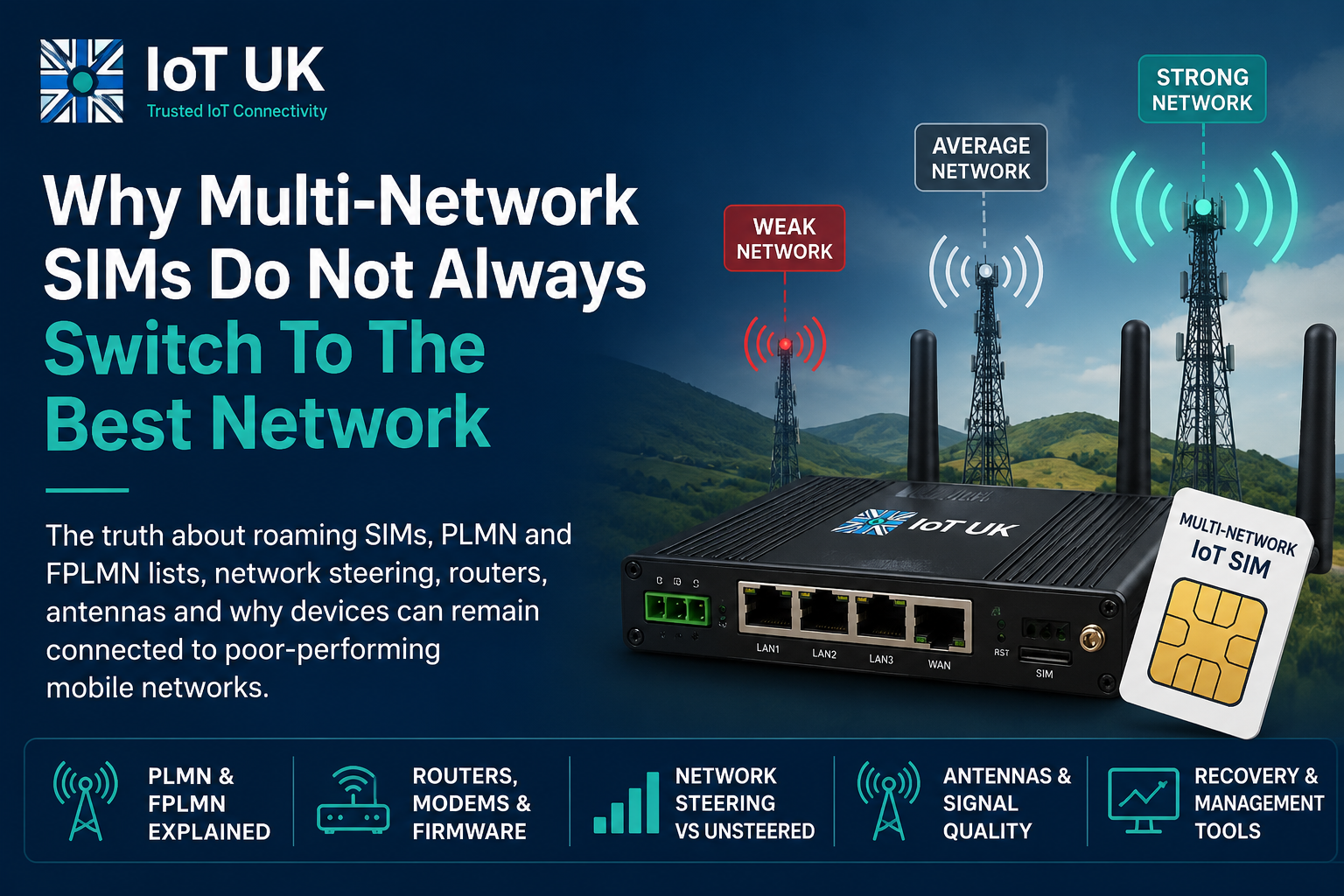
Answer first: multi-network SIM cards do not simply scan the air and choose the strongest or fastest mobile network. In real deployments, network choice is affected by roaming agreements, SIM configuration, PLMN preferences, forbidden network lists, modem firmware, router watchdog settings, antenna installation, signal quality and the management tools provided by the SIM supplier. That is why an IoT router, CCTV system, payment terminal or consumer 4G router can stay attached to a weak network even when another network appears to be stronger nearby.
Multi-network SIM cards are often sold with a simple promise: better coverage because the SIM can use more than one mobile network.
That promise is not wrong, but it is incomplete.
A roaming SIM, M2M SIM or IoT SIM can be a very good tool for improving reliability. In many cases it is the right choice, especially for fixed sites where nobody knows in advance which UK mobile network will perform best. But it is not magic. The SIM does not have full control over the radio environment. It does not override physics. It does not always force an industrial router to abandon a poor network and immediately attach to a better one. It cannot make a congested mast perform well. It cannot fix a bad antenna installation. It cannot always recover a remote site if the modem has stored the wrong network state.
This is where many commercial IoT installations go wrong. A buyer is told that a multi-network SIM will “automatically connect to the best network”. The installer fits it inside a 4G or 5G router, adds an antenna, powers up the system and sees it connect. Everyone is happy. Then, three weeks later, the site drops offline. The router still has signal. The SIM is still active. The data allowance has not run out. The portal might even show the SIM registered. Yet the CCTV system, building management controller, telemetry unit or EV charger is unreachable.
The usual reaction is to reboot the router. Sometimes that works. Sometimes it does nothing. Sometimes it works for ten minutes and then fails again. The reason is simple: the problem may not be at the IP layer. It may sit lower down in the cellular stack, where the modem, SIM and network are negotiating which Public Land Mobile Network, or PLMN, should be used.
This guide explains what is really happening. It is written for two audiences. First, commercial and industrial IoT users: installers, engineers, resellers, systems integrators, CCTV providers, SCADA specialists, BMS engineers and anyone deploying routers in the field. Second, consumers: people using roaming SIMs in phones, MiFi units, caravans, motorhomes, boats, rural broadband routers and travel devices.
The technology is shared, but the behaviour is not always the same. A £1,000 smartphone and a fixed industrial router do not behave identically, even when using the same SIM. That difference matters.
Most failures are not caused by one single thing. The SIM, modem, router, antenna, provider core and serving mobile network all influence the final connection.
The myth of the magic roaming SIM
The most common misunderstanding is the belief that a multi-network SIM always chooses the best network in real time. It sounds reasonable. If the SIM can use EE, Vodafone, O2 and Three, surely it will just pick the strongest one.
In practice, cellular network selection is more conservative than that. A device does not usually hop between networks every few minutes just because another signal has become a little stronger. Constantly changing network would break sessions, increase signalling traffic, waste power and create instability. For mobile phones, there are well-developed procedures for mobility, handover and reselection. For fixed IoT routers, the design goal is usually different: connect, stay connected, avoid unnecessary changes.
That creates the first important lesson:
A multi-network SIM usually improves the range of networks available to a device. It does not guarantee that the device will always use the strongest, fastest or least congested network at any given moment.
This distinction is not a small technical detail. It changes how you design a reliable installation.
If you are fitting an industrial router in a roadside cabinet, pumping station, building site, farm, wind turbine, CCTV pole or EV charging bay, you are not only choosing a SIM. You are choosing an entire connectivity behaviour. That includes the router model, modem chipset, antenna type, signal environment, APN, SIM profile, roaming rules, portal tools, watchdog settings and recovery plan.
The same is true for consumers, although the symptoms look different. A travel SIM may work well in an iPhone because the phone has advanced modem software, multiple antennas, carrier bundles and user-friendly network reset options. The same SIM inside a cheap MiFi router or home 4G broadband router may behave less intelligently. That does not mean the SIM is faulty. It may mean the device using the SIM is much less capable.
What actually happens when a device chooses a mobile network?
When a cellular device powers up, it does not simply ask, “Which signal is strongest?” It follows a network selection process.
The exact details vary by radio technology, SIM profile, device implementation and network conditions, but the broad process looks like this:
- The modem powers up and reads information from the SIM or eSIM profile.
- The modem scans supported radio bands and detects available networks.
- Each visible network is identified by its PLMN code.
- The device checks whether networks are allowed, preferred, equivalent, forbidden or unsuitable.
- The device attempts registration with a selected network.
- The visited network communicates with the SIM provider or home network for authentication and roaming permission.
- If registration succeeds, the device establishes a data session using an APN.
- The router then passes IP traffic to connected equipment such as cameras, PLCs, NVRs, sensors or payment terminals.
That is already more complicated than the marketing phrase “connects to the best network”.
There is also a difference between signal presence and usable data service. A router may show bars of signal but still have poor throughput. It may register to the network but fail to establish a stable packet data session. It may have enough signal strength but terrible signal quality. It may show 4G, but the cell may be congested or the backhaul may be under strain.
For that reason, engineers should avoid judging a cellular installation by signal bars alone. Important metrics include:
- RSRP: reference signal received power, broadly indicating 4G/5G signal strength.
- RSRQ: reference signal received quality, often useful for identifying interference or poor cell conditions.
- SINR: signal to interference plus noise ratio, often a better guide to real-world data performance.
- Cell ID and PLMN: useful for identifying which mast and network are actually serving the device.
- Latency and packet loss: important for CCTV, VPN, SCADA and remote access.
- Session state: whether the device is registered, attached and using the correct APN.
This is why a proper diagnosis should look at the SIM, the router and the radio layer together.
What is a PLMN?
PLMN stands for Public Land Mobile Network. In simple terms, it identifies a mobile network. Every mobile network has a code made from a Mobile Country Code, or MCC, and a Mobile Network Code, or MNC.
For example, UK mobile networks use the MCC 234 or 235, combined with an MNC that identifies the individual operator or network identity.
| Term | Meaning | Why it matters |
|---|---|---|
| MCC | Mobile Country Code | Identifies the country or region of the mobile network. |
| MNC | Mobile Network Code | Identifies the mobile network operator or network identity. |
| PLMN | Public Land Mobile Network | The combined network identity used during network selection and registration. |
| HPLMN | Home Public Land Mobile Network | The home network associated with the SIM profile. |
| VPLMN | Visited Public Land Mobile Network | A network used while roaming away from the home network. |
| FPLMN | Forbidden Public Land Mobile Network | A network stored as forbidden after certain registration failures or restrictions. |
When an IoT SIM provider says a SIM can use multiple networks, they usually mean the SIM has roaming access to more than one PLMN in a country. But access does not automatically mean equal priority. The SIM profile, roaming partner rules and provider platform may influence which networks are preferred.
A SIM can have preferred networks. A device can also store information about networks it has tried before. Some networks may be temporarily unavailable. Others may reject the device for certain services. The result is a decision process, not a free-for-all.
What is an FPLMN?
FPLMN stands for Forbidden Public Land Mobile Network. It is one of the most important concepts in IoT SIM troubleshooting, yet it is rarely explained clearly to end users.
An FPLMN list is a list of networks that the SIM or device should not keep trying to use. The purpose is sensible. If a device tries to register on a network and receives a rejection, it should not waste time and signalling effort repeatedly trying the same unsuitable network. The forbidden list helps the device move on to other options.
In the field, however, the FPLMN list can cause confusion. A device may fail to connect to a network during a temporary condition, then remember that failure in a way that affects later selection. In some cases, a network that should be available may not be retried until the device performs a manual selection, network reset, SIM refresh, modem reset or other recovery procedure.
Plain English version: an FPLMN list is like the modem saying, “I tried that network and it rejected me, so I will not keep wasting time trying it again.” Useful in theory, awkward when the original rejection was temporary or caused by a setup issue.
Common causes of FPLMN trouble include:
- The SIM was inserted before it was fully active.
- The device attempted to register on a network that was not allowed for that SIM profile.
- The modem tried the wrong network during a poor signal event.
- A roaming agreement or profile update changed after the device had already stored old information.
- The device is moved between regions or countries and keeps stale network selection information.
- The router reboots but the modem or SIM state is not properly cleared.
This is one reason why engineers sometimes say, “The SIM works in my phone, but not in the router.” The phone may handle network reset and reselection more gracefully. The router may hold onto a state that needs deeper intervention.
Why devices become stuck on a poor network
A roaming SIM can appear to be stuck for several reasons. Some are caused by the SIM profile. Some are caused by the modem. Some are caused by the network. Some are caused by the installation.
1. The current network is weak but still acceptable
Cellular devices are not normally designed to change network the moment a slightly better signal appears. If the current network is still usable, the modem may stay with it. That is often sensible. Imagine a vehicle, handset or router constantly jumping between operators because one signal briefly becomes a few decibels stronger. The result would be unstable connectivity.
For IoT, this creates a problem. A router may remain on a weak or congested network because it still has a valid registration. The VPN may be slow. CCTV may drop frames. Remote access may feel unusable. But from the modem’s point of view, the network has not completely failed.
2. Signal strength is not the same as network quality
A network can have strong signal but poor performance. This happens when the serving cell is congested, interfered with, badly loaded, or simply not the best cell for the application. A router may show three or four bars, yet the actual data connection may be unreliable.
This is where antenna installation becomes important. A higher gain antenna is not automatically better. Directional antennas can improve performance in some locations, but they can also reduce flexibility when using roaming SIMs because they may favour one operator’s mast direction. For a deeper explanation, read the IoTUK guide: Does Antenna Gain Matter for IoT Installations?
3. The SIM provider may use network steering
Some roaming SIMs are steered. That means the SIM provider or roaming platform influences which networks are preferred. This can be done for commercial, technical or service management reasons. The cheapest network may be preferred. A strategic partner may be preferred. A network with a better wholesale agreement may be preferred.
This is not automatically bad. Steering can help providers manage service quality and cost. But it means the device may not simply choose the strongest visible signal.
4. The modem may not rescan aggressively
Many industrial routers are designed to hold a connection for as long as possible. That sounds good, and often it is. But it can also mean the router stays connected to a poor network because the modem does not perform a full fresh scan unless forced to do so.
A simple IP watchdog may restart the router application layer, but not fully reset the modem’s radio state. The device can come back on the same PLMN, with the same poor conditions, and the customer wonders why the “reboot” did not solve anything.
5. The device may have stored forbidden or unsuitable networks
FPLMN entries, temporary forbidden states and network rejection behaviour can all affect what the device tries next. This is particularly important for remote IoT sites because you may not be able to physically remove the SIM or manually reset network settings.
6. The APN or data session may fail even when registration succeeds
A router can be registered on the mobile network but still fail to pass useful data. The APN may be wrong. The private APN may be unavailable. The SIM may be barred. The data session may be stuck. The provider core may need a session reset. The SIM may have hit a usage cap or policy limit.
This is why “signal present” does not mean “service healthy”.
Commercial and industrial IoT: where this problem hurts most
For consumers, a roaming SIM problem is annoying. For commercial IoT, it can become expensive very quickly.
A failed connection can mean a site visit, a missed alarm, a blind CCTV system, a dead payment terminal, a data gap, a blocked engineer, a building fault that goes unnoticed, or a customer who loses confidence in the installer.
CCTV and temporary security
CCTV is one of the clearest examples. Many CCTV installers use 4G routers because they need remote access to NVRs and cameras on sites without fixed broadband. Construction sites, farms, compounds, solar parks, vacant buildings and temporary events often rely on cellular connectivity.
A multi-network SIM is attractive because coverage is unpredictable. But if the router remains connected to a poor network, video performance can collapse. The system may still show online in the router, but remote playback may fail, live view may stutter, and alerts may not arrive reliably.
SCADA, telemetry and utilities
SCADA and telemetry systems often send small amounts of data, but they need consistency. A water monitoring site, pump station, tank level sensor or environmental logger may not need high speed, but it does need predictable communication.
In these deployments, the wrong network can produce intermittent faults that are difficult to reproduce. The device may work during installation, fail during bad weather, recover overnight and fail again during peak mobile network load.
Building Management Systems
BMS applications often use cellular routers for remote maintenance, out-of-band access or sites where fixed lines are not available. A remote engineer may only need occasional access, but when they need it, they need it now. A SIM stuck on a weak network can turn a simple remote fix into an unnecessary site attendance.
EV charging and payment terminals
EV chargers and payment terminals need a reliable data path for authorisation, monitoring and support. Poor connectivity does not always mean total failure. Sometimes it means slow transactions, delayed status updates, failed remote commands or inconsistent reporting.
Retail, kiosks and vending
For payment, vending and self-service machines, mobile data is often used as primary or backup connectivity. A multi-network SIM can reduce risk, but the router still needs to be configured with sensible recovery behaviour. Otherwise the system may stay attached to a weak network long after a better one is available.
Steered vs unsteered roaming SIMs
Network steering is one of the biggest reasons a roaming SIM may not behave the way a customer expects.
A steered SIM has rules that influence which network is preferred. An unsteered SIM gives the device more freedom to select from available networks, usually based on standard network selection behaviour and radio conditions. In the real world, there are also partially steered and dynamically managed services, so the line is not always perfectly clean.
| SIM type | Typical behaviour | Benefit | Possible downside |
|---|---|---|---|
| Steered roaming SIM | Prefers certain networks according to provider rules or roaming agreements. | Can help manage cost, availability and service policy. | May remain on a preferred network even when another visible network appears stronger or better. |
| Unsteered roaming SIM | Allows the device more freedom to choose between available networks. | Often better where signal conditions vary and the strongest usable network is not known in advance. | Still depends on modem behaviour, network rejection, antenna design and local conditions. |
| Managed or semi-steered SIM | Provider may allow steering changes, network exclusion, refresh tools or manual intervention. | Useful for emergency support and long-term fleet management. | Quality depends heavily on the provider portal and support capability. |
The key point is that “multi-network” and “unsteered” are not the same thing. A SIM may be technically able to roam onto several networks, but still prefer some networks over others.
That preference can be commercial. Roaming costs are not equal across networks. Providers may have better wholesale terms with one network than another. They may also steer traffic to manage platform load, control risk or avoid networks with known issues.
Again, this does not make steered SIMs bad. It means buyers should understand what they are buying. If a site demands the highest possible resilience, the SIM’s steering behaviour, portal tools and support process matter just as much as the headline list of networks.
Why ping reboot often does not fix the problem
Many industrial routers include a ping reboot or watchdog feature. The idea is simple: the router pings a reliable destination such as a public DNS resolver. If the ping fails several times, the router restarts the connection or reboots.
This is useful, but it is not a cure-all.
A ping failure only tells you that the router cannot reach the ping target. It does not tell you why. The cause could be mobile signal, APN failure, DNS failure, IP routing, provider core issues, congestion, packet loss, a VPN fault, a firewall rule, a weak antenna, an outage on the visited network, or the remote ping host itself.
More importantly, a basic ping reboot may not force a full fresh network selection. The router may reboot, the modem may reinitialise, and the device may reconnect to exactly the same PLMN.
For a serious IoT deployment, watchdog design should be layered:
- Check local LAN device health, not just internet reachability.
- Check DNS separately from raw IP connectivity.
- Check VPN tunnel status if remote access depends on VPN.
- Check cellular registration state and serving PLMN.
- Use modem reset where appropriate, not only router reboot.
- Use SIM portal tools where available.
- Log the serving network before and after recovery.
Router reboot, modem reboot, signal reboot and SIM refresh: what is the difference?
The word “reboot” is often used too loosely. In cellular troubleshooting, the type of reset matters.
| Action | What it usually affects | What it may not fix | When it helps |
|---|---|---|---|
| Application or service restart | Router software services, VPN process, local daemon or monitoring application. | Bad cellular registration, weak signal, wrong PLMN, FPLMN state. | Useful when the router is online but a local service is stuck. |
| Router reboot | Restarts the router operating system and services. | May not fully clear modem or SIM network history on all devices. | Useful for general recovery, but blunt. |
| Modem reset | Restarts the cellular module and radio registration process. | May not clear all SIM-stored forbidden network entries. | Useful when the cellular module is attached badly or stuck. |
| Network rescan or manual PLMN selection | Forces the modem to evaluate available networks again. | May still be limited by steering, roaming permissions or forbidden lists. | Useful when a device is stuck on a poor network. |
| SIM refresh or provider session reset | Triggers actions from the SIM provider platform or core network. | Cannot fix bad antenna placement or local radio coverage. | Useful when registration, APN or core session state is stale. |
| FPLMN clear or network settings reset | Clears forbidden network memory where supported. | Cannot create roaming access where none exists. | Useful when a network has been incorrectly or historically blacklisted. |
Different routers expose these tools differently. Teltonika, Milesight, Robustel, InHand and other industrial router brands all have their own menus, CLI options, SMS commands, API support and remote management systems. The principle is the same: the deeper the cellular fault, the deeper the recovery action usually needs to be.
Why industrial routers behave differently to smartphones
This is one of the most important consumer and commercial comparisons.
People often test a SIM in their phone and assume the router should behave the same way. That is not a safe assumption.
A modern smartphone is an astonishing radio device. It usually has an advanced modem, carefully tuned internal antennas, carrier configuration files, operating system support, location awareness, background network intelligence and a user interface designed for roaming and mobility. It is expected to move through cells, switch between technologies, handle voice services, support emergency calls, use WiFi calling and recover gracefully when the user crosses borders.
An industrial router has a different job. It is usually installed in one place and expected to stay online for months. It may be mounted in a cabinet, behind equipment, inside a metal enclosure, on a wall, in a plant room or near electrical noise. It may rely on external antennas, long coaxial cables, DIN rail power, private APNs and VPN tunnels. It may be designed to avoid unnecessary network changes because stability is valued.
| Feature | Smartphone | Industrial router |
|---|---|---|
| Primary use | Mobile personal communication, voice, data, apps, roaming. | Fixed or semi-fixed connectivity for equipment and sites. |
| Mobility expectation | Constant movement between cells and locations. | Often static for long periods. |
| Antenna system | Integrated, highly engineered, multiple internal antennas. | Depends heavily on external antenna choice, cable and placement. |
| User recovery tools | Airplane mode, network reset, manual operator selection, OS updates. | Router reboot, modem reset, SMS commands, management portal, API. |
| Commercial goal | Keep the human user connected while moving. | Keep the site stable and avoid unnecessary disruption. |
This explains why a consumer may say, “The SIM works perfectly in my iPhone but not in my router.” The phone may simply be better at recovering from network selection problems. It may also support bands, carrier settings or modem features that the router does not.
The reverse can also be true. A well-installed industrial router with a proper external antenna can outperform a phone in a weak-signal fixed location. The difference is not that one category is always better. The difference is that they are engineered for different jobs.
The role of antennas in multi-network SIM performance
Antennas are often misunderstood in roaming SIM installations. The usual mistake is to treat the SIM as the only smart component and the antenna as a simple booster. That is not how it works.
An antenna does not create mobile signal. It receives and transmits radio energy more effectively from its installed position. If the antenna is directional, it favours one direction. If it is omni-directional, it receives and transmits in a wider pattern. If it has higher gain, it may flatten or narrow the radiation pattern. If the cable is poor or too long, much of the benefit can disappear before the signal reaches the router.
With a single-network SIM, a directional antenna aimed at the correct mast can be excellent. With a roaming SIM, the decision is more subtle. A highly directional antenna may make one network look excellent while making other available networks much less visible. That may be exactly what you want if the chosen network has been surveyed and verified. It may be the wrong approach if the whole purpose of the roaming SIM is to retain flexibility between networks.
For IoT and M2M sites, antenna decisions should be based on:
- Which networks are available at the actual installation point.
- Which bands each network uses locally.
- Whether the device is 4G, 5G NSA, 5G SA, LTE-M, NB-IoT or Cat 1 bis.
- Whether the router supports 2×2 MIMO or 4×4 MIMO.
- Whether the antenna pattern supports the intended resilience strategy.
- How much loss the coaxial cable introduces.
- Whether the enclosure, wall, cabinet or mounting position blocks signal.
This is why a “high gain” antenna can sometimes make a roaming deployment worse. It may improve one link while reducing the ability to fall back to another. The right question is not “which antenna has the highest gain?” It is “which antenna gives the router the most reliable usable radio environment for this application?”
Why SIM management portals matter in emergencies
A proper IoT SIM management portal is not just for billing and usage. In a serious deployment, it is part of the recovery toolkit.
When a site goes offline, the worst thing you can do is guess. The best thing you can do is gather evidence quickly.
A good SIM portal may help answer questions such as:
- Is the SIM active or barred?
- Has the SIM used all of its data allowance?
- Which network is the SIM currently registered on?
- When was the last data session?
- Is the APN correct?
- Has the SIM been moved to another device?
- Is the SIM roaming or attached to the expected network?
- Can the provider reset the session?
- Can the provider refresh the SIM?
- Can a problem network be excluded temporarily?
- Can network steering be changed?
Not every portal provides all of these tools. Some are basic. Some are excellent. Some expose direct controls. Some require a support ticket. For industrial IoT, that difference matters.
Practical recommendation: for critical IoT sites, document the router login, SIM ICCID, APN, provider portal access, serving network, antenna type, installation photos and recovery procedure before the site goes live. When a fault happens at 4:30pm on a wet Friday, tidy documentation is worth more than cheerful marketing.
A well-designed remote recovery workflow might look like this:
- Check whether the router is reachable through its management platform.
- Check whether the SIM is visible in the provider portal.
- Confirm last seen time, serving PLMN, APN and data usage.
- Check whether the router is registered but failing at IP, VPN or application layer.
- Perform a modem reset or network rescan if available.
- Use SIM refresh or provider session reset if the portal supports it.
- Temporarily steer or force a different network if supported.
- Log the before and after state so the fault is not lost.
- Only send an engineer when remote recovery has been exhausted or physical failure is likely.
Consumer roaming SIMs, travel SIMs and home routers
The consumer side of this topic is growing. People now use roaming SIMs in smartphones, travel hotspots, motorhome routers, caravan routers, canal boat routers, rural broadband routers and holiday home devices. The marketing language is often the same: better coverage, multiple networks, stay connected.
The same caveat applies. A roaming SIM does not always mean instant switching to the best network.
Why a roaming SIM may work better in an iPhone
An iPhone or high-end Android phone may handle roaming more smoothly than a low-cost router because the phone is designed for human mobility. It has advanced modem behaviour, polished network reset tools, frequent software updates and carefully designed antennas. It may also have better support for carrier profiles and band combinations.
This does not mean phones are immune to roaming problems. Travellers still see forbidden networks, manual selection issues, data roaming problems, eSIM profile trouble and “registered but no data” faults. But phones usually give the user more recovery options: airplane mode, reset network settings, manual operator selection, profile reinstall, operating system updates and easier testing.
Why a cheap MiFi device may struggle
A low-cost MiFi device or basic 4G router may have a simpler modem, fewer bands, weaker antennas, limited logging and poor recovery controls. It might connect to the first acceptable network and stay there. It may not expose PLMN selection, FPLMN clearing, band locking or useful diagnostics.
That is why the same SIM can feel “clever” in a phone and “stupid” in a router. The intelligence is not only in the SIM. Much of it is in the device.
Motorhomes, caravans and boats
For mobile leisure users, the challenge is slightly different. The device moves between regions, campsites, valleys, coastal areas, marinas and rural locations. A roaming SIM can be useful because the best network changes from place to place.
However, roof antennas, directional antennas and router placement can still influence which network is seen as best. A high-mounted omni antenna may be a good general-purpose choice for moving use. A directional antenna may be useful when parked for long periods in a weak-signal area, but it requires more effort and may favour one operator.
Rural broadband
For home 4G or 5G broadband, the goal is usually stable high throughput. In that case, a single well-tested network with a good router and properly installed antenna may outperform a roaming SIM that keeps making compromises. If the best local network is known, optimising for that network can be better than relying on roaming behaviour.
For consumers, the advice is simple: do not judge a roaming SIM only by the list of networks on the box. Judge it by the device you are using, the bands it supports, the antenna system, the local mast environment and the recovery options available when it gets stuck.
What happens during a mobile network outage?
A major network outage is where marketing claims meet reality.
In theory, a multi-network SIM should help because the device can use another available network. In practice, several things can prevent a clean failover:
- The device may not realise quickly that the current network has failed.
- The network may still allow registration but fail to pass data correctly.
- The modem may keep retrying the same network.
- Steering rules may prefer the affected network.
- The alternative network may be available but congested.
- The APN or provider core may be the real fault, not the radio network.
- The router watchdog may restart IP services but not force full reselection.
This is why some devices recover automatically during an outage and others do not. The difference is often not just the SIM. It is the whole stack.
A resilient deployment should assume outages will happen. It should include sensible watchdogs, remote diagnostics, portal access, spare recovery routes where practical and a clear escalation process. For critical infrastructure, the design should be tested. Pulling the main network, checking failover and documenting the result is much better than discovering the truth during a live incident.
Future improvements: eSIM, eUICC and SGP.32
eSIM and eUICC do not automatically solve every roaming problem, but they change what is possible.
Traditional removable SIM cards are tied to a profile. eUICC allows remote SIM provisioning, where profiles can be downloaded, enabled, disabled or changed according to the supported standard and platform. For consumer devices, eSIM is already common. For IoT, newer specifications such as SGP.32 are intended to make remote provisioning more suitable for constrained and large-scale IoT deployments.
This matters because future IoT connectivity may become less dependent on one static SIM profile. A device may be able to move between profiles, providers or connectivity policies in a more managed way. Fleet operators may gain more control over lifecycle, resilience and commercial flexibility.
However, it is important not to oversell this either. eSIM is not magic any more than roaming SIMs are magic. The device still has a modem. The antenna still matters. The serving network still matters. The APN, provider core and management platform still matter. Remote provisioning is powerful, but it does not repeal radio physics.
A practical troubleshooting checklist
When a multi-network SIM does not appear to switch networks properly, work through the problem in layers.
Step 1: confirm the symptom
- Is the device completely offline?
- Is it registered but not passing data?
- Is the VPN down but internet access working?
- Is the application offline while the router is online?
- Is the issue constant or intermittent?
Step 2: check the router
- Record the serving network or PLMN.
- Check RSRP, RSRQ and SINR.
- Check the APN.
- Check uptime and reboot logs.
- Check whether the router is using the expected SIM slot.
- Check whether band locking or operator locking has been configured.
Step 3: check the SIM portal
- Confirm the SIM is active.
- Check data usage and policy limits.
- Check last seen time and current network.
- Look for session reset or refresh tools.
- Check whether the provider can force or exclude a network.
Step 4: check the antenna and installation
- Inspect antenna placement.
- Check cable length and connector condition.
- Compare performance with antennas moved outside or higher up.
- Check whether a directional antenna is limiting roaming flexibility.
- Measure quality, not just signal strength.
Step 5: perform the right recovery action
- Try a modem reset, not only a router reboot.
- Trigger network rescan where supported.
- Manually select another network for testing if the device allows it.
- Ask the provider to refresh the SIM or reset the session.
- Clear FPLMN or reset network settings where supported and appropriate.
- Update router firmware if known modem issues exist.
Common mistakes to avoid
Assuming bars mean quality
Signal bars are a crude guide. A strong signal with poor SINR can perform worse than a weaker but cleaner signal.
Buying only on network count
“Works on four networks” is useful, but it does not explain steering, portal tools, APN behaviour or support quality.
Using ping reboot as the whole recovery plan
Ping watchdogs help, but they may not clear modem, PLMN, APN or SIM-state problems.
Ignoring the antenna
The wrong antenna can make a roaming SIM less effective by favouring one network while hiding others.
Testing only during installation
A site that works at 10am during commissioning may behave differently during peak network load or bad weather.
No portal access
Without SIM portal access, emergency troubleshooting often becomes guesswork and unnecessary site visits.
The balanced truth about multi-network SIMs
Multi-network SIMs are not a con. They are often the best option for IoT and M2M deployments where fixed-line broadband is unavailable, coverage is uncertain or resilience matters. They can reduce the risk of choosing the wrong single network. They can make national deployments easier. They can help installers avoid multiple site surveys. They can provide better coverage across estates, fleets and temporary sites.
But they are often oversold.
The honest version is this:
A multi-network SIM gives a device access to more network options. Reliable service then depends on how the SIM profile, modem, router, antenna, provider portal and mobile networks behave together.
That sentence is less glamorous than “always connects to the best network”, but it is far more useful.
For commercial IoT, the best outcomes come from designing the whole connectivity stack. Choose the right router. Use the right antenna. Understand steering. Make sure someone has access to the SIM portal. Record the serving network. Configure sensible watchdogs. Test recovery. Know how to force a network change or request a provider-side refresh. Build the support process before the support call.
For consumers, the same principle applies in simpler form. A roaming SIM in a high-end smartphone may behave much better than the same SIM in a cheap router. A roof antenna on a motorhome may improve coverage, but it will not guarantee the device chooses the best network. Rural broadband may work better with a carefully optimised single-network setup than a poorly understood roaming setup.
The SIM matters. The router matters. The antenna matters. The network matters. The portal matters. That is the real story.
FAQ: multi-network SIMs, roaming SIMs and network switching
Do multi-network SIMs automatically choose the strongest network?
Not always. A multi-network SIM may have access to several networks, but network selection is affected by SIM profile, modem behaviour, PLMN lists, steering, roaming agreements and the router’s recovery logic. The strongest signal is only one part of the decision.
Why is my roaming SIM stuck on one network?
It may be stuck because the current network is still considered acceptable, because the SIM is steered, because the modem has not performed a fresh scan, because another network is in the forbidden list, or because the router has not reset the cellular module deeply enough.
What is a PLMN?
A PLMN is a Public Land Mobile Network. It identifies a mobile network using a country code and network code. Devices use PLMN information when scanning, selecting and registering with mobile networks.
What is an FPLMN?
An FPLMN is a Forbidden Public Land Mobile Network. It is a network that the SIM or device should avoid after certain registration failures or restrictions. It helps prevent repeated failed attempts, but can sometimes complicate troubleshooting.
Does a router reboot clear PLMN or FPLMN problems?
Sometimes, but not always. A basic router reboot may not fully clear modem state or SIM-stored forbidden network information. A modem reset, network rescan, SIM refresh or network settings reset may be needed depending on the device and fault.
Why does my SIM work in my phone but not in my router?
Phones and routers behave differently. A smartphone usually has advanced modem software, tuned antennas and better user recovery tools. A router may have simpler network selection behaviour, poorer antenna placement or limited diagnostic tools.
Are unsteered SIMs always better?
No. Unsteered SIMs can be useful where the device needs more freedom to choose between available networks, but they still depend on modem behaviour, antenna quality, network availability and provider support. The best choice depends on the application.
Can an antenna stop a roaming SIM using the best network?
Yes, indirectly. A directional antenna may favour one mast or operator and reduce visibility of other networks. This can be good when planned properly, but it can undermine the flexibility expected from a roaming SIM.
Why does my router show signal but no internet?
The router may be registered to the network but failing at APN, data session, DNS, routing, VPN or provider core level. Signal does not guarantee working IP connectivity.
Can a SIM provider portal fix a stuck connection?
Sometimes. A portal may allow session reset, SIM refresh, diagnostics, network status checks, usage checks or changes to steering. The available tools depend on the provider and service.
What should installers record before leaving site?
Record the router model, firmware, SIM ICCID, APN, serving network, signal metrics, antenna type, installation photos, portal login process and recovery method. This makes later support much easier.
Are multi-network SIMs worth using for IoT?
Yes, often. They can significantly improve deployment flexibility and resilience. The mistake is assuming the SIM alone solves every connectivity problem. Reliable IoT connectivity requires the right SIM, router, antenna, portal and recovery configuration.
Sources and further reading
This article was prepared using industry knowledge and cross-checked against publicly available information from 3GPP, ETSI, GSMA, Eseye, Onomondo, 1oT and selected IoT SIM provider documentation. The article is written as an educational resource for IoTUK and avoids quoting vendor marketing claims as universal behaviour.
2 thoughts on “Why Multi-Network SIMs Do Not Always Switch To The Best Network”